Process · Updated August 2026 · Last verified August 2026
Quick Answer
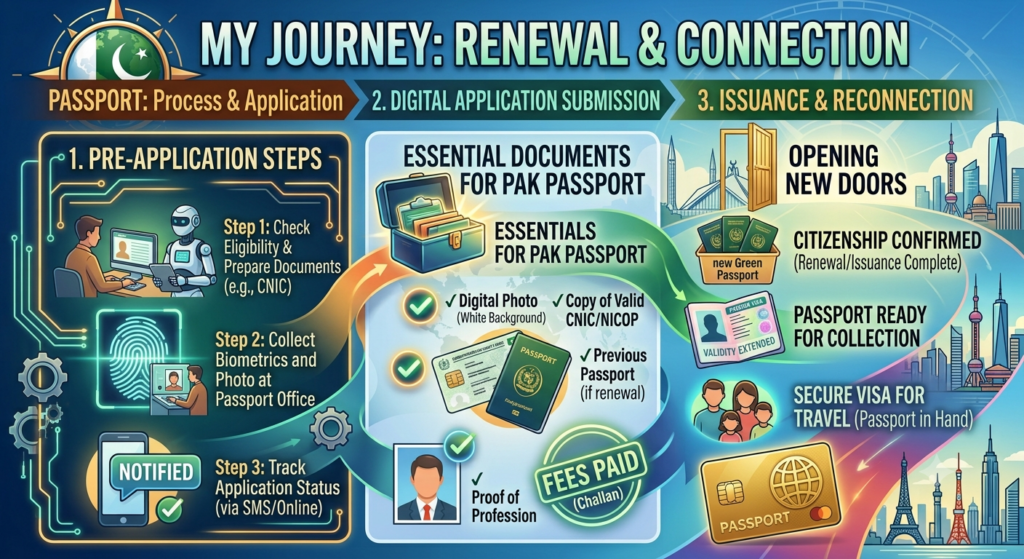
Passport application process Pakistan,Once you’re at the Regional Passport Office with your documents and paid fee, the passport application process Pakistan runs through six counters in order, following DGIP’s official process flow: token and photo, biometrics, data entry, record verification, interview and decision, then fee confirmation before you leave with a collection date. Most visits run 45 minutes to a couple of hours if your documents are in order and you review your data form carefully before it’s locked in.
This is different from a New Application guide, which covers eligibility and what to bring. This one covers what actually happens counter by counter once you walk through the door in the passport application process Pakistan; useful for knowing what to expect and avoiding the two most common reasons applicants get sent home.
Before You Go
- Original paid bank challan receipt or e payment confirmation (PSID number, SMS, or email)
- Original CNIC/NICOP (or CRC/B Form for minors), plus a photocopy
- Previous passport in original, if you’ve had one before
- NOC from your department, if you’re a government or autonomous body employee
See our full passport documents checklist if you’re not sure which of these apply to your case, and confirm your nearest Regional Passport Office before you go.
Fee has to be deposited online or at a bank before you arrive; you cannot pay at most counters on the spot. Bring the physical receipt or the PSID confirmation, since the first counter checks it before anything else happens in the passport application process Pakistan. The sequence below applies whether you’re applying for a standard booklet or the newer e passport.
The Six Counters, in Order
At offices with the “One Window” facility, counters 2 through 5 below are combined into a single desk; the sequence in the passport application process Pakistan is the same either way, just faster.
1. Customer Service Counter
You’re briefed on the process and your documents are checked for completeness. If anything is missing, you’re turned back here rather than further down the line; this is the checkpoint that catches most avoidable delays.
2. Token and Photo Counter
You hand over your original CNIC/NICOP (or CRC for a minor) plus photocopies and the fee receipt. Your photograph is captured on site, and you’re issued a token number; hold onto it, since it’s what calls you to every counter after this.
3. Biometric Counter
When your token number is called, your right thumb, right index finger, left thumb, and left index finger impressions are captured. If a fingerprint won’t read cleanly, the operator will re attempt it a few times before logging an exception rather than stopping your application.
4. Data Entry Counter
An operator enters your details while the screen faces you. Once the data is saved and the printed form handed over, review it carefully: name spelling, father’s name, address, CNIC number, everything.
This is the one step worth slowing down for in the entire passport application process Pakistan: any correction has to be flagged before you sign and before the Assistant Director gives “go ahead.” After that point, fixing an error means cancelling the token and starting the whole process again.
5. Verification Against Office Record
Your details are checked against the Exit Control List (ECL) and Black List (BL), part of the backend passport monitoring system DGIP runs behind the counters. This step is invisible to you; there’s no counter interaction, just a system check that has to clear before you move to the interview.
6. Interview and Decision
When your token appears at the decision counter, you appear before the Assistant Director / Officer In Charge with your original documents and the data form. They review your national status and credentials and either mark the case “go ahead” or ask for more documents.
If there’s any doubt about your national status, the case can be referred to a security agency for a further check; this adds time but isn’t unusual in the passport application process Pakistan. Applicants under 18 are typically deferred at this stage: the printed form needs a Class 1 government officer’s attestation of the child’s photograph before the token is allowed to go ahead.
After the Interview
| Stage | What Happens |
|---|---|
| Fee confirmation | Any balance or urgent service fee is confirmed via QR code at the counter |
| Token closed | You’re given a collection date based on Normal, Urgent, or Fast Track processing |
| Status tracking | SMS updates via 9988 inside Pakistan, or through the online track passport application tool; Email Rabta service for overseas applicants who gave a correct email at data entry |
| Collection | Bring the original token; the passport is handed only to the applicant or a blood relative |
What Can Slow You Down
These are the counter specific version of the common passport application problems applicants run into most:
- Fee receipt missing or unreadable, caught at the very first counter, before a token is even issued
- Data entry errors not caught before sign off; the token has to be cancelled and the whole sequence repeated
- Repeated biometric failures, usually resolved with re attempts, but logged as an exception if they persist
- Minors’ cases deferred for photo attestation; budget an extra step if you’re applying for a child
- National status doubt at interview, referred to a security agency, which extends the timeline beyond the standard processing window
Practical Note
The data entry screen is the one moment in the whole passport application process Pakistan where you have real control over accuracy; once the Assistant Director gives “go ahead,” the record is locked. Read the printed form line by line before signing, not just the name and CNIC number but the address and father’s name too.
If you’re applying for a minor, bring a Class 1 government officer’s contact details in advance if possible; knowing who will attest the photo before you arrive saves a second trip.
Frequently Asked Questions
How long does the actual office visit take? Typically 45 minutes to a couple of hours if your documents are complete and biometrics go through cleanly on the first attempt. Busier offices and peak hours add to the wait between counters.
Can I pay the passport fee at the office on the day? No. The fee has to be deposited beforehand through a bank, ATM, or the Passport Fee Asaan app, and you bring the paid receipt or e payment confirmation with you, as required at every stage of the passport application process Pakistan.
What happens if I notice a data entry mistake after I’ve signed? Once the Assistant Director allows “go ahead,” the data can’t be changed at that visit. The token has to be cancelled and the process restarted, so it’s worth reviewing the printed form carefully before signing.
Why was my child’s application deferred? Applications for minors are commonly deferred at the interview stage until a Class 1 government officer attests the child’s photograph on the data form. Once that’s done, the token is allowed to proceed.
Do I need an appointment, or can I just walk in? Walk ins are accepted at Regional Passport Offices, though checking your chosen office’s hours and any urgent service counter timings beforehand can save a wasted trip.
Bottom Line
The RPO visit at the heart of the passport application process Pakistan is a fixed sequence: token, biometrics, data entry, verification, interview, fee, collection, and almost every delay traces back to one of two moments: incomplete documents at the first counter, or an uncaught data error before sign off. Get those two right and the rest of the visit runs on rails.
For more passport guides, visit Zippify.
Previous: Pakistani Passport Reprint: Lost, Damaged, or Exhausted Passport Next: Renunciation of Pakistani Citizenship: Process, Documents, and What Happens After